
Make a bill by voice.
Change it by voice.
Say the party, item, rate and discount. Wisdom Accounts makes the GST bill. Check it, save it, send it on WhatsApp.
Speak in Hindi, Gujarati or English.
On iPhone, the App Store lists the app as “Wisdom OMS”.

On a computer? Open the Windows app or the web app.
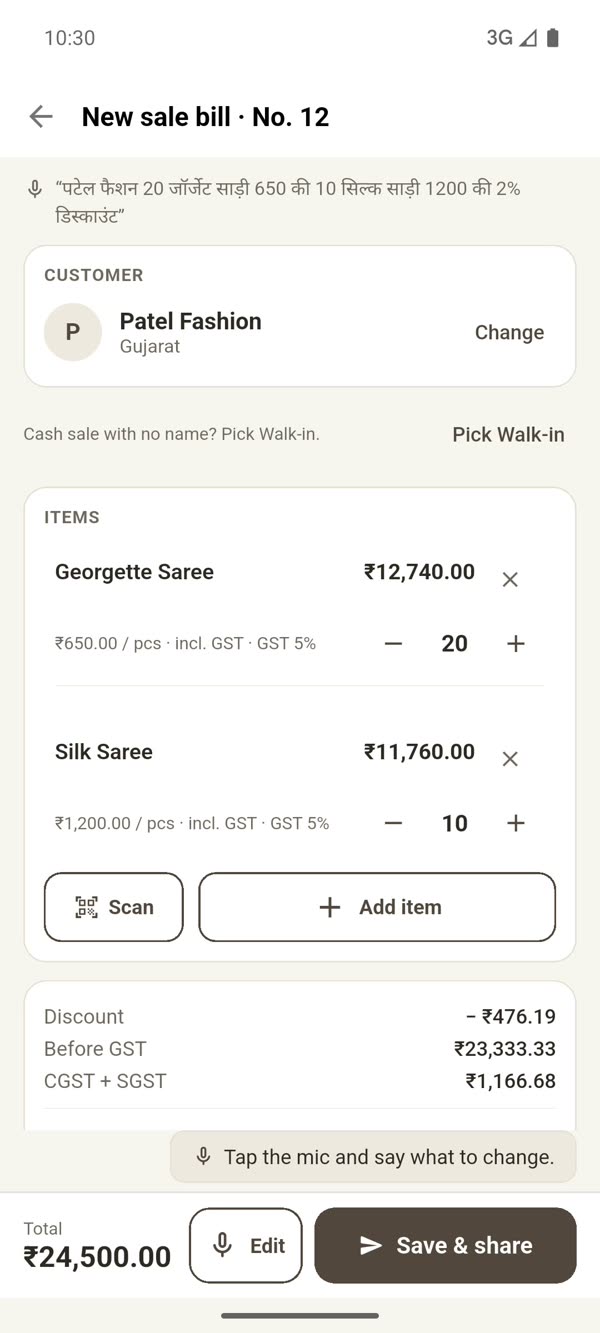
Not one line of the bill typed.
Say it once. The app fills in the bill. To correct it, say the change.
Swipe to see the next step →
-
1
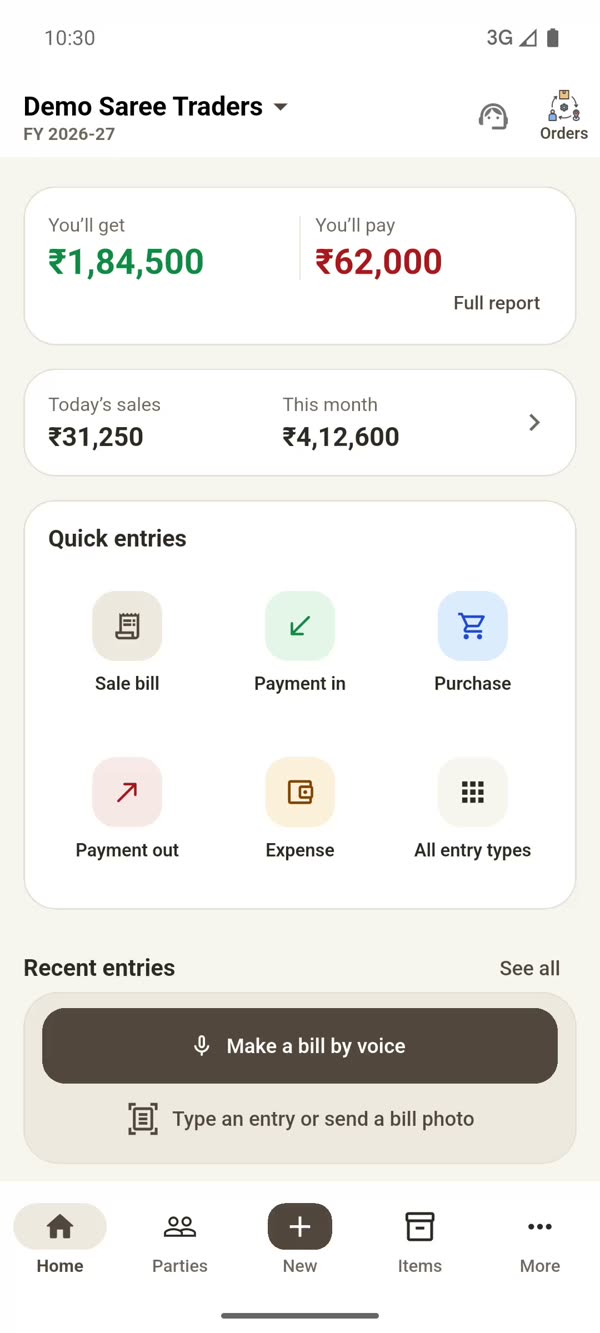
Tap “Make a bill by voice”
It is right on the Home screen.
-
2
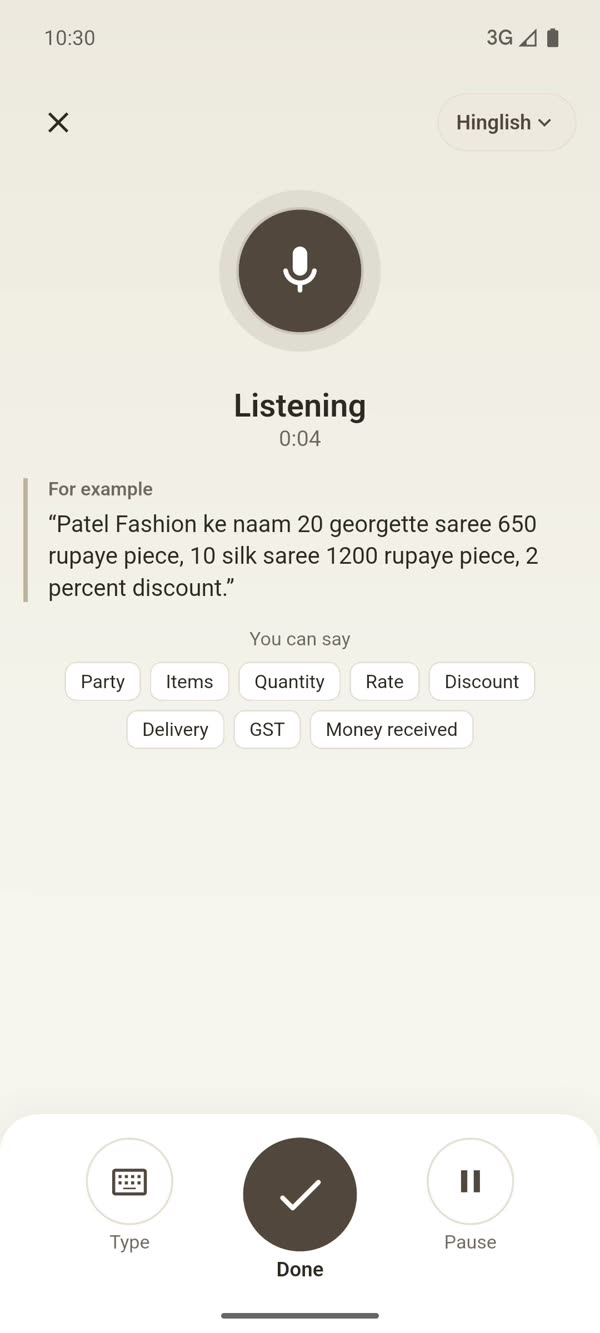
Speak
Patel Fashion, 20 georgette sarees at 650 each, 10 silk sarees at 1,200, 2 percent discount.
-
3
The bill is made
Party, items, discount and GST are filled in. You check it.
-
4
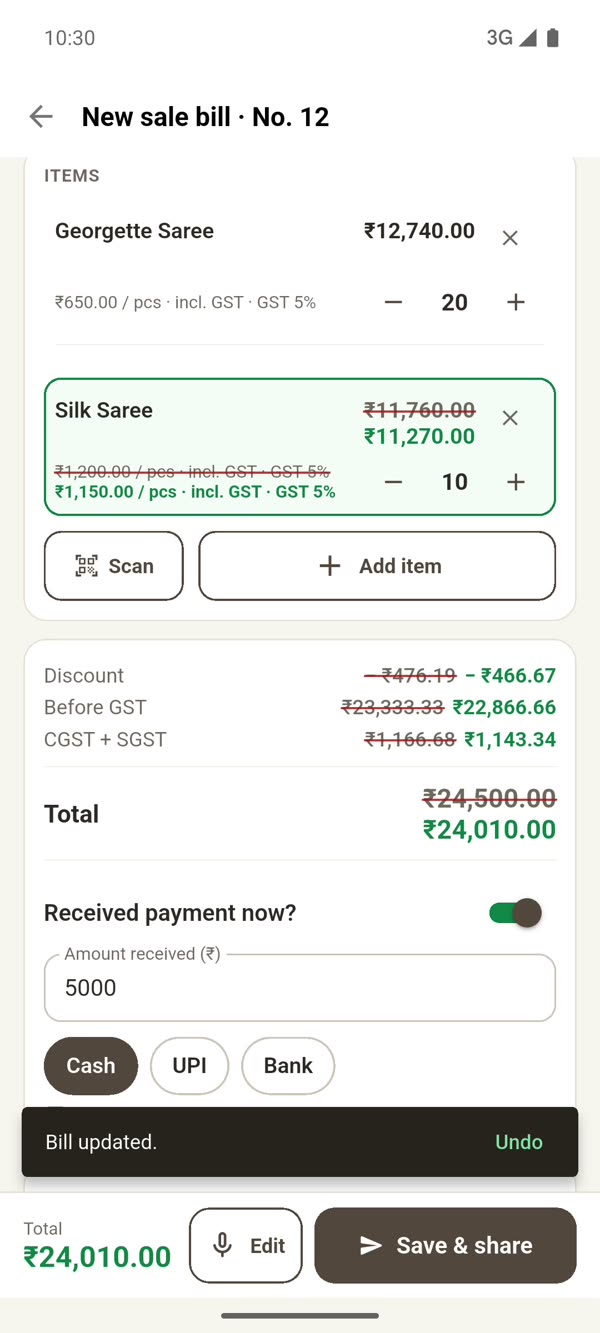
A mistake? Say the change
Make the silk saree 1,150, and 5,000 cash received.
The old rate shows crossed out. -
5
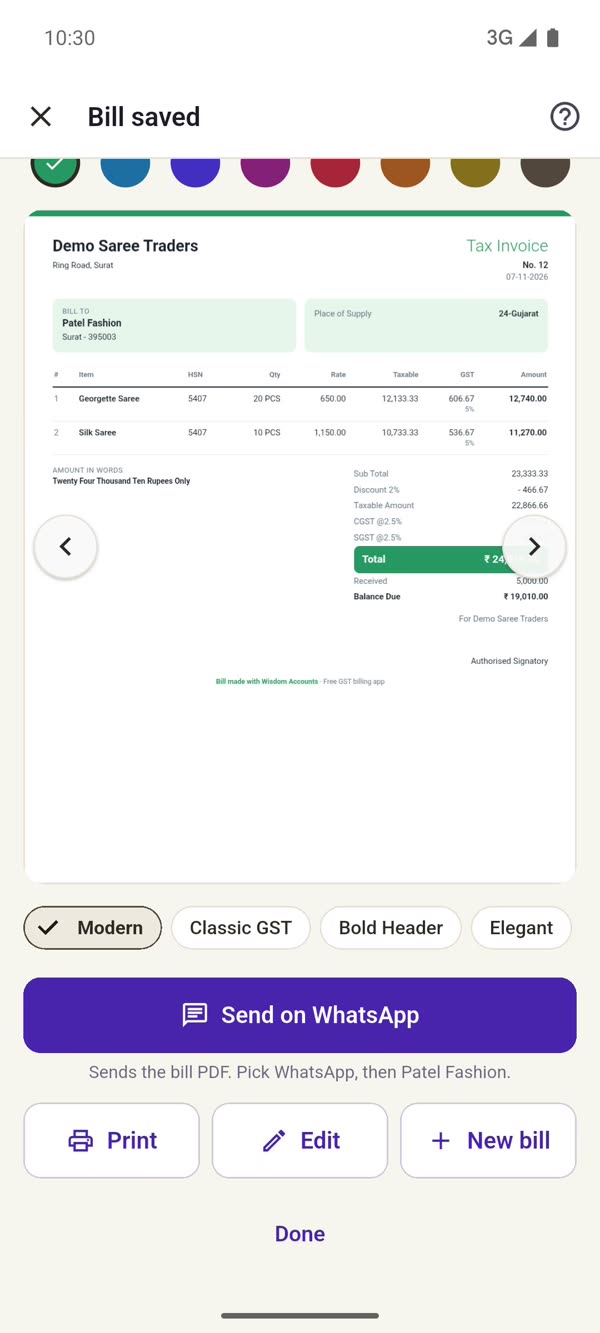
Save, and send on WhatsApp
Pick a design and send the bill PDF to your customer.
Real screens from the Android app, with the demo book “Demo Saree Traders”. This is sample data, not any customer’s.The screens are shown in English. The app runs in English, Hindi, Hinglish or Gujarati.
Watch a bill being made.
A bill made by voice, the rate changed by voice, 5,000 cash added, and the bill sent on WhatsApp.
The demo uses a sample bill. The voice in this video is AI-generated.
New videos on Instagram @wisdomaccountsAll your shop’s accounts, in one app.
Bills, payments, purchases, expenses and reports. All in one place.
GST bill, on WhatsApp
Pick a bill design and send the PDF to your customer in one tap.
Who owes you, whom you owe
Every party’s balance on Home. Payment in and payment out in one tap.
Reminders on WhatsApp
Send a reminder on WhatsApp for what is due. Your UPI QR goes with it, so the customer can pay you.
Purchases and expenses
Purchase bills and expenses in the same app. Say the entry, or send a photo of the bill.
Items and stock
Enter the rate, HSN and GST once. They come into every bill on their own, and stock stays with the item.
Reports
Sales, P&L, party statement and GST reports, for your CA.
Quotation to bill
Send a quotation, make it an order, then make the bill from it.
In your language
Use the app in English, Hindi, Hinglish or Gujarati.
Phone, web and Windows
On Android, iPhone and the web. There is a Windows app for your computer too.
One app, whatever you sell.
Pick what you do when you start. Home then shows what that trade needs.
Retail and kirana
Counter bills, a 58 mm slip from your printer, and your UPI QR on the slip.
Wholesale and traders
Quotation, order and bill. Send the party statement as a PDF on WhatsApp.
Textile
Scan a challan and its takas come into the bill. Goods lying at the mill show on Home.
Udhaar khata
Write down what you gave and what you got. See who owes you, and remind them on WhatsApp.
Since 2015
Textile businesses have kept their accounts on Wisdom since 2015.
From Surat
Marothia Techs, Saket Textile Market, Surat. Made in India.
Help on call and WhatsApp
Monday to Saturday, 10 am to 7 pm.
From install to bill, three steps.
- 1
Install the app
On Android, from Google Play. On iPhone, search “Wisdom OMS” on the App Store.
- 2
Sign in with your mobile number
An OTP comes. That is all.
- 3
Speak
Tap “Make a bill by voice” and say the party, item and rate.
Stuck somewhere? Call +91 75728 57390 or message us on WhatsApp. Monday to Saturday, 10 am to 7 pm.